Delete Your Data
How to Delete Your Data
Last Updated: 10/5/2026
You can delete your Formation Fantasy account at any time. Deleting it in the app deletes your account and the data linked to it. This page explains how to do that, how to ask us to delete your data if you can’t get into the app, and what happens to each kind of data.
Step 1: Delete Your Account in the App
It takes four taps. In each screenshot below, the spot to tap is circled in orange.
Open your Profile
Open Formation Fantasy and tap Profile in the bottom-right corner of the navigation bar.
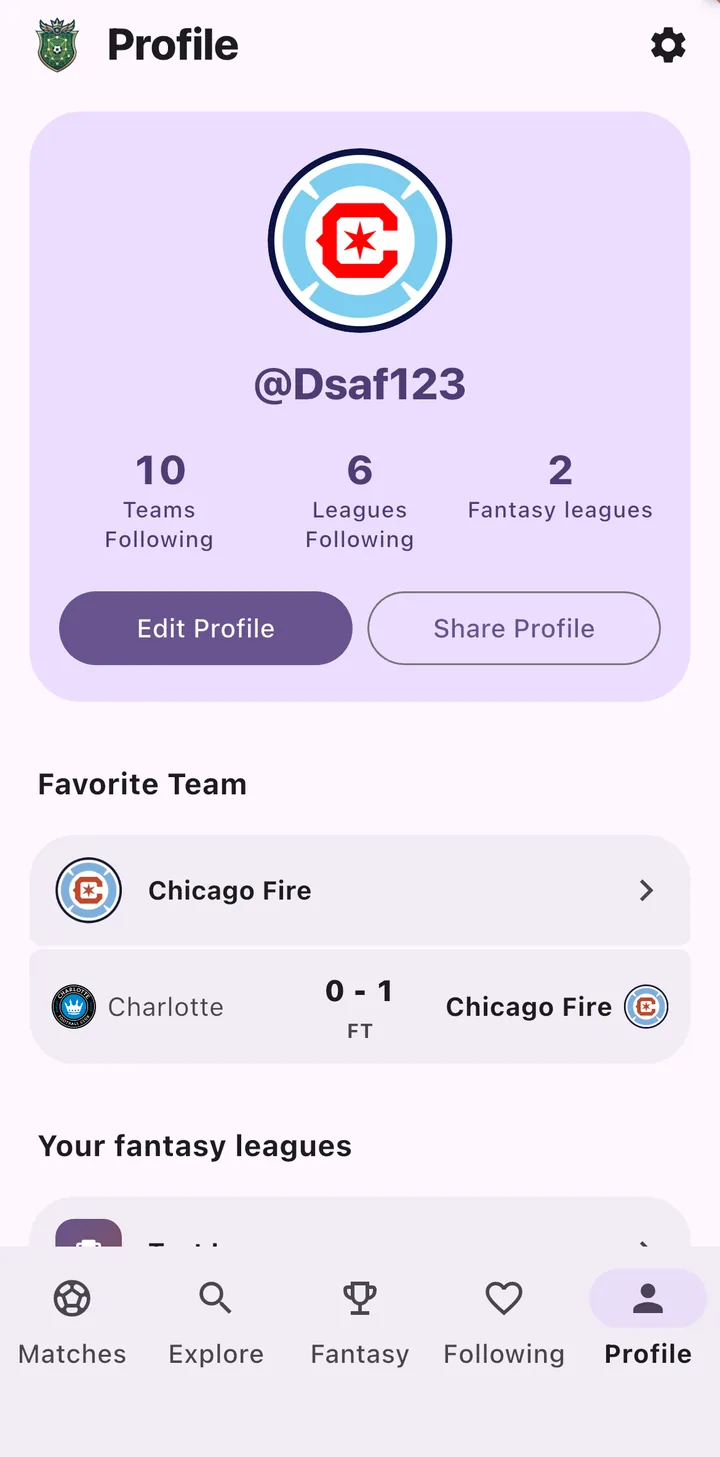
Open Settings
Tap the ⚙️ settings icon in the top-right corner of your Profile.
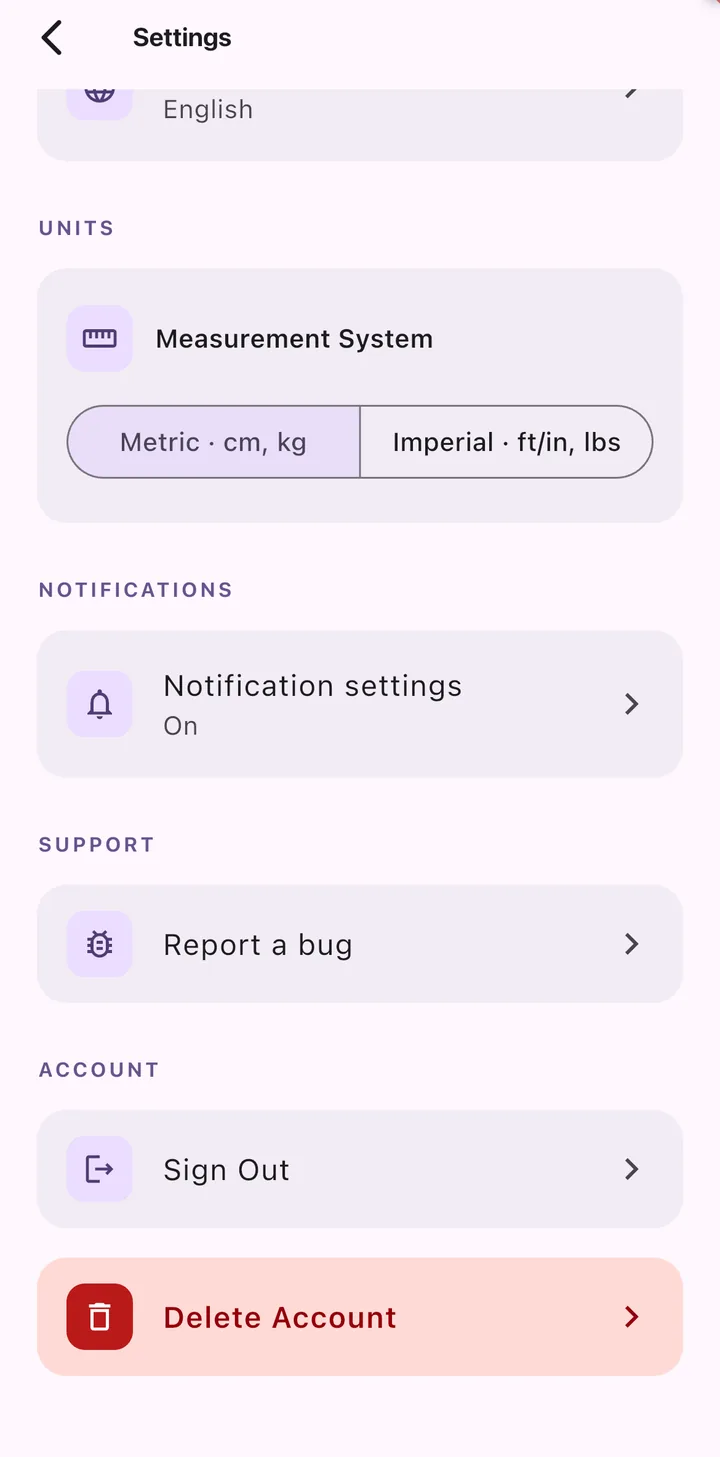
Tap Delete Account
Scroll to the bottom of Settings. Under Account, tap the red Delete Account button.
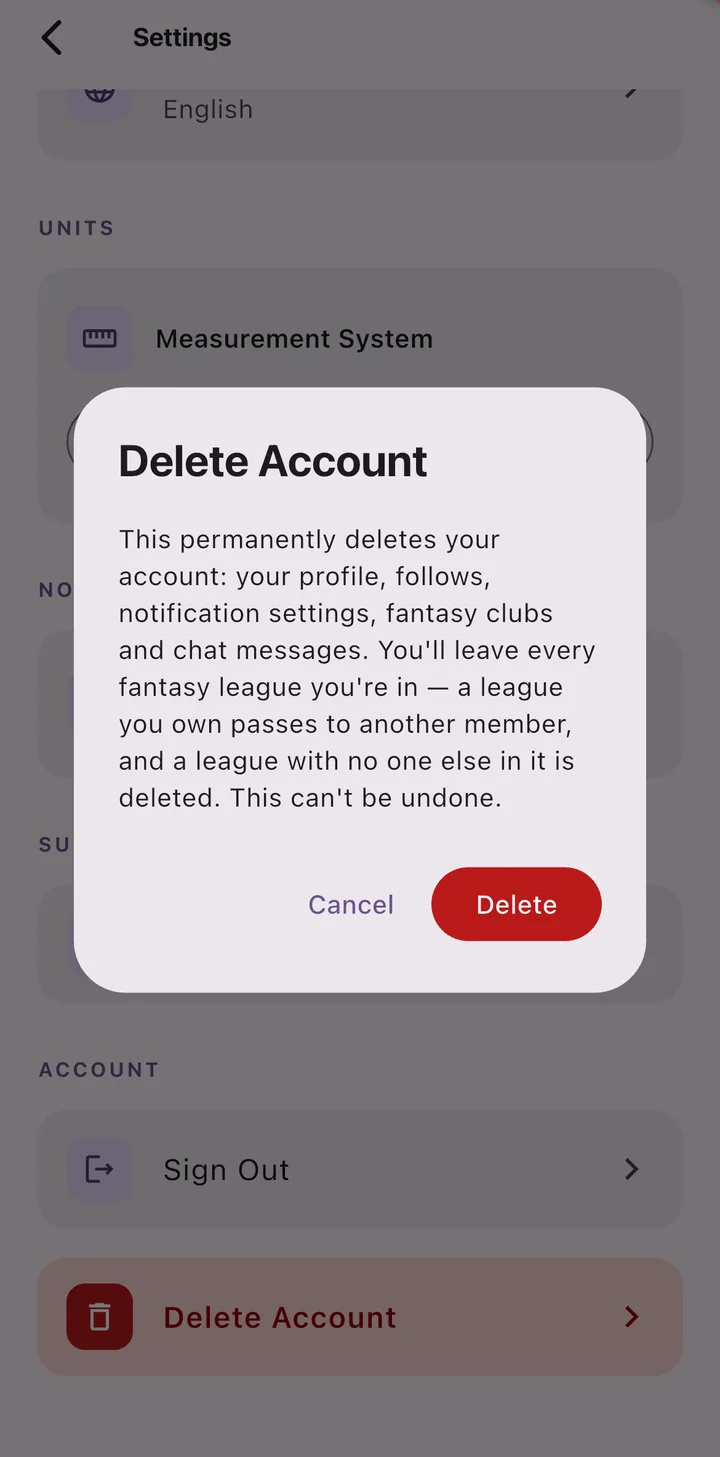
Confirm
A box appears that explains what will be deleted. Tap the red Delete button to confirm, or Cancel to keep your account. Your account and data are deleted right away, and you’re signed out. Deleting your account can’t be undone.
What in-app deletion does
- Deletes your sign-in account (your email address, sign-in method and login), so you can no longer sign in to it.
- Deletes your profile: your name, username, profile photo and favourite team.
- Deletes your follows and notifications: the teams and leagues you follow, your notification settings and history, and every device registered for push notifications.
- Deletes your fantasy clubs, including club names and crests.
- Removes you from every fantasy league you’re in. Your squad, lineups, waiver claims, trade offers and league chat messages are deleted, and your players go back into the pool as free agents.
- Hands over leagues you own. If you own a league that has other managers, it passes to one of its admins, or to the longest-standing manager if there are no admins. A league where you’re the only manager is deleted.
Past results in leagues with other managers, such as scores, matchups and completed transactions, stay so the league’s history still adds up for everyone else. They’re linked only to an anonymous account ID, not to your name, username or email address. See What We Keep.
Step 2 (Optional): Ask Us to Delete Your Data
If you can’t get into the app, or something wasn’t deleted, email us:
Send an email
Email [email protected] with the subject “Data Deletion Request”.
Tell us which account
Send it from the email address you used for Formation Fantasy, and include your username. If you signed in with Google, Apple or Facebook, tell us which one.
We confirm it’s you
We may reply to confirm the request comes from the account’s owner before deleting anything.
We delete your data
We’ll delete the data listed below and email you when it’s done. We aim to complete every request within 30 days.
You can send this request whether or not you’ve already deleted your account in the app.
What We Delete
Deleting your account in the app, or asking us to, deletes:
| Data | Examples |
|---|---|
| Sign-in account | Your email address, name and sign-in method |
| Profile | Your name, username, profile photo and favourite team |
| Follows | The teams and leagues you follow |
| Fantasy clubs | Your club names and crests |
| League data | Your league memberships, squads, lineups, waiver claims and trade offers |
| League chat | Messages you’ve sent in league chats |
| Notifications | Your notification settings, notification history and registered devices |
| Bug reports | Reports you’ve sent from the app |
If you’re in a league with other managers, you’re removed from it and the league stays for them. If you owned it, ownership passes to another manager. A league where you’re the only manager is deleted.
What We Keep
- League history. In leagues with other managers, past scores, matchups, draft picks and completed transactions stay so the league’s records still add up for them. They’re linked only to an anonymous account ID, and nothing links that ID to your name, username or email address once your account is deleted.
- Crash reports. If the app crashed while you were using it, an anonymous crash report may have been sent to Firebase Crashlytics. These reports are kept for up to 90 days and then deleted automatically.
- Emails with us. We keep your deletion request and our reply as a record that we handled it.
- Records we’re legally required to keep, if any apply.
On Your Device
Some app preferences, such as your theme, language and match filters, are stored only on your device. Uninstalling the app (or clearing your browser’s site data for the web app) removes them.
Your Rights
Depending on where you live, you may have rights over your personal data under laws such as the GDPR (EU/UK) or the CCPA (California), including the right to access, correct or delete it. To use any of these rights, email [email protected]. For more details, see our Privacy Policy.